Roofs#
Rain Noise#
To predict levels of rain noise in INSUL:
-
Select the Roof tab from the INSUL Construction tabs.
-
Use the INSUL Panel tabs to select Single or Double as required.
Note
Triple rain noise calculations are not presently available
-
To set the rainfall properties, select the Rainfall tab

-
Two different types of rain are available to model:
Modelling details for each case are provided in the following sections.
-
Once the rainfall properties have been set, the roof construction can be arranged using the INSUL Panel tabs for single or double constructions: Panel 1, Frame 1 and Panel 2.
Tip
- The mass, modulus of elasticity and damping of the roof all influence the rain noise insulation performance of the roof layers.
- Joist properties also effect the impact sound insulation performance of light weight floors.
Natural Rain#
To model natural rain, from the Rainfall tab select the Natural Rain tab.
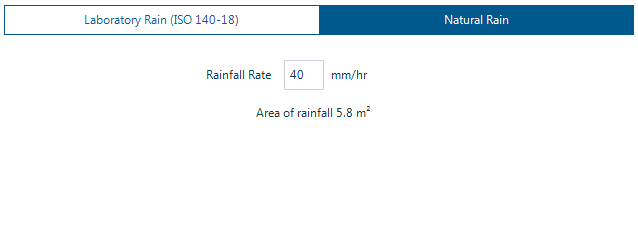
Update the rainfall rate as required by changing the value in the Rainfall Rate box.
Laboratory Rainfall (ISO 140-18)#
To model laboratory rainfall (ISO 140-18), from the Rainfall tab select the Laboratory Rain (ISO 140-18) tab.
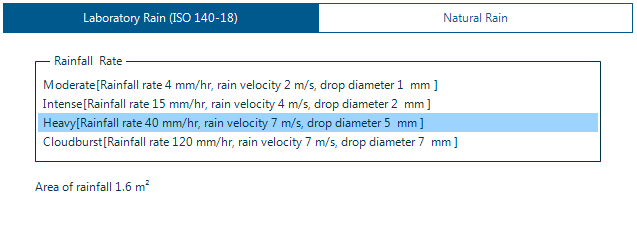
Four different rainfall rates are available:
- Moderate
- Intense
- Heavy
- Cloudburst
The Area of Rainfall is an important variable in a model of laboratory rain.
- Depending on the test set up, the rainfall tank size is likely to be fixed and may not cover the entire roof panel being tested.
- For example, this can mean that doubling the size of a test panel may not double the measured sound pressure level as the amount of actual rainfall remains fixed rather than doubling.
- The Area of Rainfall can be changed from the Settings window by selecting: Calculation > Roof.

Profile Panels#
- To model rain noise on a profiled roof, using the INSUL Panel tabs select the Panel 1 tab.
- Using the Category filter, select Profiled Metal materials
- Select a profiled materials from the Products list
Ceiling#
A ceiling may be included in a roof construction model by selecting Double from the INSUL Panel tabs.
The frame type, ceiling airgap and joist spacing and the inclusion of cavity absorption can all be set directly from the Frame 1 and Frame 2 tabs as required.
Panel Size, Reverberation Time and Room Volume#
The roof panel size can be updated from the Settings window by selecting Calculation > Properties:
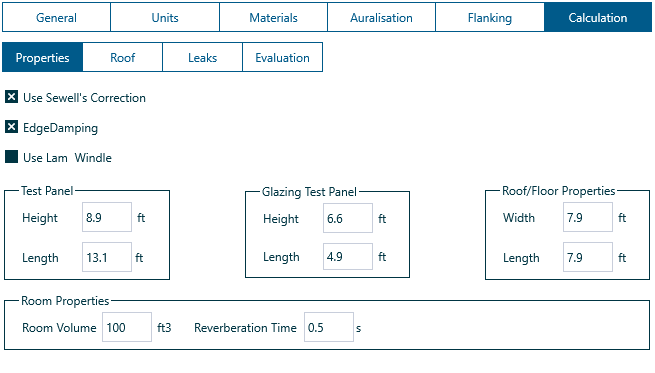
Important
Changing the panel size can have a significant effect on the predicted rain sound level. It is important to set the roof panel size accurately in the INSUL model.
Depending on the type of rainfall noise output, the reverberation time and room volume can have a significant effect on predicted levels of rainfall noise. This is particularly the case if the rainfall noise output is set to Sound pressure levels. As with panel size, the reverberation time and room volume can be changed from the Settings window by selecting Calculation > Properties.
Outputs#
INSUL can predict rain sound levels as:
- Sound power levels
- Sound pressure levels
- Sound intensity levels
The type of output can be updated from the Settings window by selecting Calculation > Roof.
As noted above, when Sound pressure levels is the selected output, the reverberation time and room volume are important and can influence the predicted noise levels.
The single figure index for the predictions can also be set from the Settings window. dBA, NR and NC are available.