Composite TL Calculator#
What is composite TL?#
If a partition comprises, say, 75% steel stud wall and 25% glazing, the sound reduction or transmission loss through the steel stud wall is different from the transmission loss of the glazing.
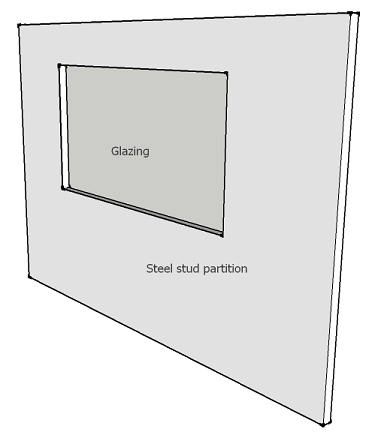
So what is the transmission loss of the overall partition?
The theoretical transmission loss of the overall partition is called the Composite transmission loss or Composite TL.
A note about terminology
The terms Transmission Loss (TL) and Sound Reduction (R) can be used interchangeably in INSUL. Both terms are used by acoustic consultants and manufacturers to describe the reduction in sound level that occurs across a partition such as a wall or ceiling:
A few equations...
The transmission coefficient for a partition (τ), is commonly referred to in textbooks and is defined as the ratio of sound power transmitted through a partition or element (W_{out}) to the sound power incident on that partition or element (W_{out}):
The transmission coefficient for a partition is related to its' Sound Reduction as follows:
The composite transmission loss can be calculated as the average of the transmission coefficients (τ) of the individual elements that make up the partition. The average is weighted, according to the surface area (S) of each of the elements.
Getting Started#
 Open the Composite TL Calculator from the INSUL Toolbar:
-
Selecting Open shows the calculator without adding new data

-
Selecting Open with data shows the calculator with TL values from the current INSUL model added in a new row.
For this case, before the calculator window is shown there is a prompt to enter the area for the selected data:
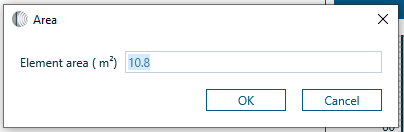
The area is put into the Area column of the calculator.
When can I use the Composite TL Calculator?
The calculator is available on the Wall, Ceiling, Glazing and Porous tabs. These tabs can all be used to estimate transmission loss or sound reduction values.
The Floor tab estimates Impact Sound Pressure Levels and the Roof tab estaimtes rain noise levels. Accordingly, the calcuatlor is not available on these tabs.
Adding Data#
Data can be added to the Composite TL Calculator by:
- Opening the calcuator using Open with data
-
Typing values directly into the Composite TL Calculator.
On either the Third Octave Sheet or the Octave Sheet, click a cell to begin entering data.
STC/Rw#
STC or Rw values are shown for each row of data in the Composite TL Calculator:
- When STC is selected, the associated OITC value is also calculated.
- When Rw is selected, the associated C and Ctr values are also calculated.
The single figure indices for each element are displayed in the right-hand column of the 1/3 Octave or 1/1 Octave tables. The single figure indices for the Composite TL are displayed above the chart:
The frequency range for the C and Ctr corrections may be selected from the Settings window.