Export to CadnaB, SonArchitect, SoundPLAN#
INSUL can export the predicted results of a modeled partition into CadnaB, SonArchitect and SoundPLAN softwares.
The 'Export' option can be found in the File menu in the tool bar along the top of the INSUL window.
CadnaB#
When exporting INSUL results into CadnaB, the export window provides various parameters which can be edited to match the relevant settings of the construction elements in the CadnaB model. These include the element type and name of the partiton modeled, as well as the material properties and the partition description.
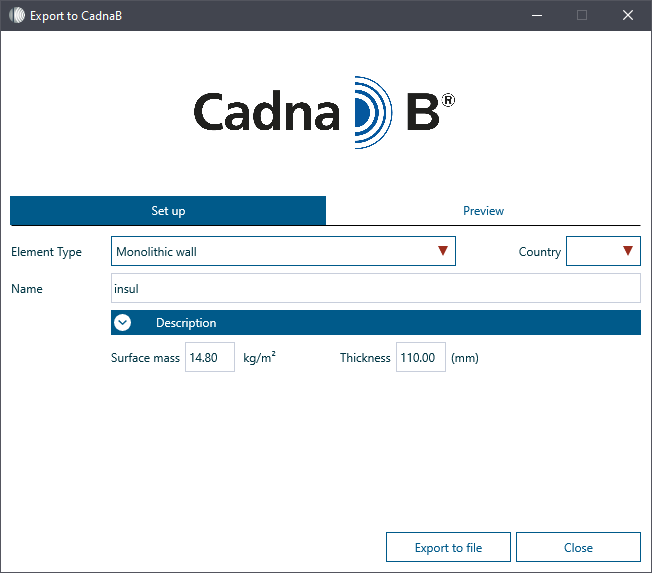
The parameters are exported as an .xml file that can then be imported into CadnaB. The 'Preview' tab shows the details of the .xml file to be exported.
See CadnaB help link for a description of the import process
SONArchitect#
When exporting INSUL results into SONArchitect, the export window provides various parameters which can be edited to match the relevant settings in the SONArchitect model. These include the partition type, subtype, properties, and general description.
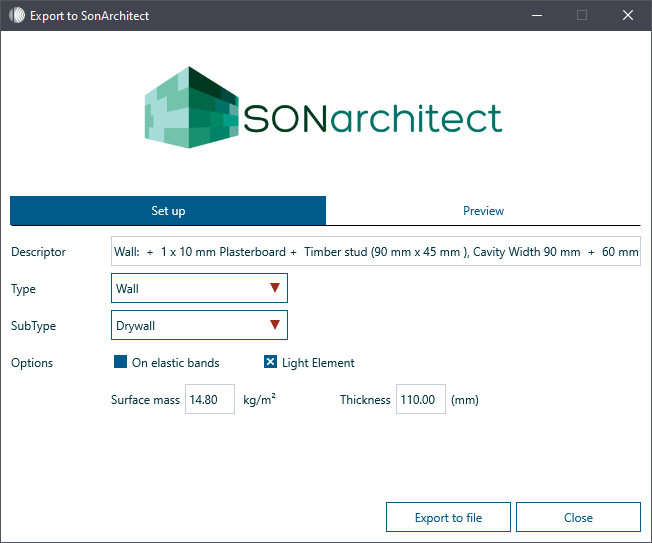
The parameters are exported as an .xml file that can then be imported into SONarchitect. The 'Preview' tab shows the details of the .xml file to be exported.
See SonArchitect help link for a description of the import process
SoundPLAN#
To export the results from an INSUL model into SoundPlan, the model information is simply copied to the clipboard and pasted into the relevant destination in the correct kernal.
