Spectra#
Comparison Spectra#
INSUL includes a feature to allow immediate comparison of the TL of different constructions.
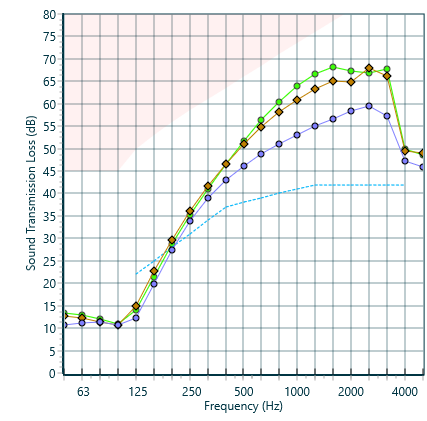
Comparison spectra may be set by clicking one of the Comparison buttons.


This will display the current construction on the chart in either a purple or brown curve.
The single figure index for the selected comparison construction (STC/Rw, IIC/Ln,w, dBA/NR/NC/PNC) is added to the caption in the graph legend and also appears on the printout.
The purple or brown comparison curves will remain either until a new comparison is selected or the chart is reset. The comparison curves may be reset by pressing on the comparison button again (it toggles between on and off states). Alternatively the curve may be retained but not displayed by un-setting the tick box above the column on the Table tab.
Spectra Differences#
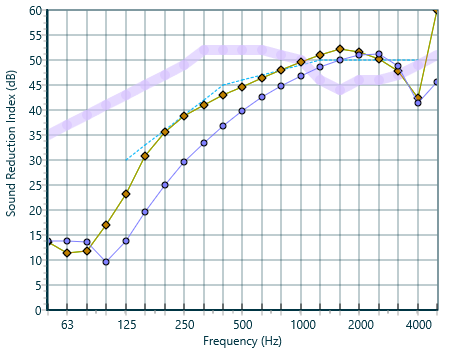
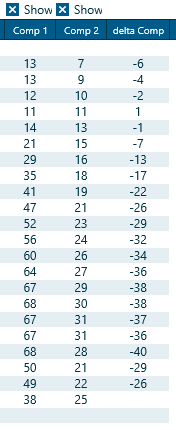
Sometimes you may wish to calculate the difference between two transmission loss spectra. For instance what is the effect of adding a plasterboard lining to a masonry wall (this can be helpful when carrying out calculations to EN 12354 for example). This can be done by using the comparison spectra:
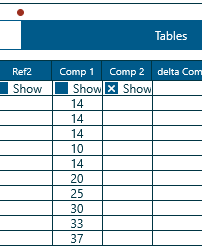
- Calculate the base construction and then click the button to set the first comparison
- Now calculate the second construction and click the button to set the second comparison
The two spectra will be displayed in the INSUL Table page with the difference (or delta) displayed in the final column. You can copy and paste this from the table using the copy button then the paste function in your other software (e.g. Excel)
Reference Spectra#
Sometimes when developing a model to predict a known partition so that you can predict the effect of changes it is convenient to enter the test data on to the Insul Graph. This can be done by clicking on the Tables tab and entering the data into the grid in the column headed Ref1 or Ref2.
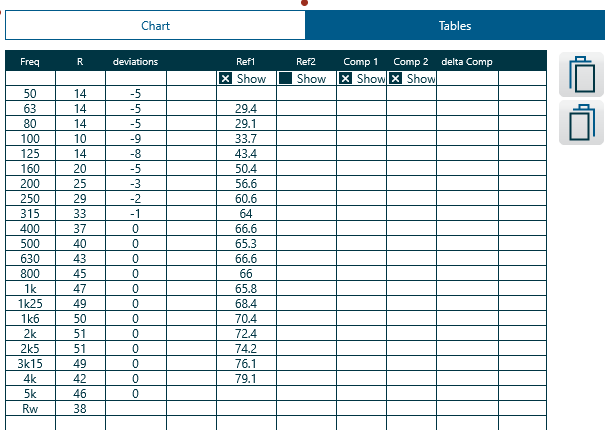
The checkbox marked Show just above the relevant column, must be checked where upon the test data will appear in pink on the graph for easy comparison. You can turn off the display by unchecking the box.
Another reference spectrum can be displayed in the Ref2 column again using the checkbox marked Show to turn on or off the display of this data. Data may be also be pasted from the clipboard using the two buttons to avoid having to manually enter the data.
The STC/Rw rating for the each reference curve is calculated and displayed at the bottom of the table and is added to the caption in the graph legend which also appears on the printout.
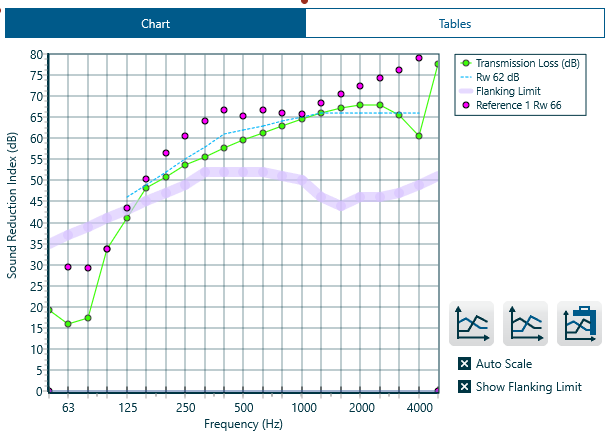
Comparing with lab data...
This tutorial presents a study comparing INSUL predictions with laboratory sound insulation test data, usingINSUL's Reference Spectra.
Captions#
Reference and Comparison series titles, which display in the Chart legend, can be edited by selectting Edit > Chart... > Series labels...