Tabs#
INSUL's tabs are the primary control point for predicting sound levels.
Construction Tabs#
The INSUL Construction tabs located to the side of the INSUL Illustration.
Six different tabs are provided: Wall, Ceiling, Floor, Roof, Glazing and Porous.
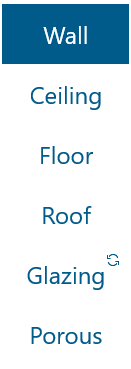
Selecting a different tab will model a different scenario in INSUL:
- The Wall tab and Ceiling tab model airborne sound insulation performance
- The Floor tab models impact sound pressure levels
- The Roof tab models rainfall noise
- The Glazing tab models airborne sound insulation performance through glazed elements
- The Porous tab models airborne sound insulation through porous materials
Moving the Construction tabs
The Construction tabs can be displayed on either the left of the right of the INSUL illustration.
Change the position of the Construction menu from the View menu by selecting: View > Move > Construction tabs.
Panel Tabs#
INSUL includes three Primary Panel tabs to change the type of construction being modelled: Single, Double and Triple.
- The Single tab models a construction with a single panel only
- The Double tab models constructions which include an air cavity between two different panels
- The Triple tab models constructions which include two air cavities between three different panels
Depending on the Primary Panel tab that is selected, a different combination of Secondary Panel and Frame tabs is shown.
Example
With the Double tab selected, INSUL presents Secondary Panel tabs for Panel 1, Frame 1 and Panel 2.

- A Leak tab is available when the Wall or Ceiling Construction tab is selected
- A Floor covers tab is provided when the Flooring Construction tab is selected
- A Rainfall tab is provided when the Roof Construction tab is selected
Moving the Panel tabs
The Primary Panel tabs can be displayed in two different locations:
-
On the top right-hand corner of the INSUL window

-
Inset within the Construction tabs
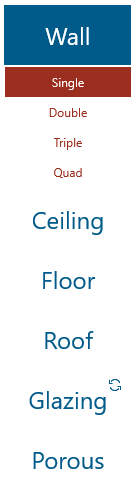
The position of the Primary Panel tabs can be changed from the View menu by selecting: View > Move > Panel tabs